
getcafepos
Log in Start free trial

A cafe POS system that remembers the usual

GetCafePOS is point-of-sale software for independent cafes and coffee shops. Your baristas take a 16 oz oat latte with an extra shot in three taps, every upcharge is rung, the drink prints at the bar with the customer’s name, and the same menu becomes your order-ahead store — with loyalty and tips built in.

From $39 per location / month Sales tax added at checkout where it applies.

30-day free trialNo card, no contractUSA · UAE · Pakistan

16 oz oat latte +1 shotIced Americano, light iceSpanish latte, less sweetKarak chai ×2Misugaru latte, oatHorchata latte, icedCortado, wholeCold brew + vanillaMatcha latte, half sweetCroissant, warmedFlat white, almondCafé de olla

One regular. One drink. Eight layers of software.

Follow Mina’s usual from the first tap to the reorder. Each layer in the glass is a part of GetCafePOS you would use to make it. Prices are an example menu, shown in your market’s currency.

  1. 1The cup

    Size is the first tap, not the last question

    Mina walks up at 8:05. The cashier taps Latte, then 16 oz. Sizes are big buttons with their own prices, because size changes the price, the milk and the stock.

    8 oz12 oz16 oz ✓
    Fast tap ordering
  2. 2The shots

    The extra shot gets rung, every time

    An extra shot is a modifier with its upcharge printed on the button. It lands on the sale and on the bar ticket, so it is neither forgotten nor given away.

    + Extra shot$1.00

    Drink modifiers
  3. 3The milk

    Oat, almond or whole — priced, not shouted

    Milk is a modifier set: whole at no charge, oat and almond with your upcharge. The same set works on the register and on your online store.

    WholeOat ✓Almond

    + Oat milk$0.75

    Modifier sets
  4. 4The sweet

    Half-sweet vanilla prints exactly like that

    Syrups carry a price; sweetness and temperature are zero-price options that still print. The barista reads the drink in the order they build it.

    + Vanilla, half sweet$0.60

    Build order on tickets
  5. 5The name

    The bar knows it is Mina’s before she sits down

    The paid order goes straight to the bar printer or bar screen with her name, size and every modifier. Food goes to the kitchen instead.

    Bar & kitchen tickets
  6. 6The tip

    A tip screen that suits a coffee order

    The customer screen offers three small fixed tips, a custom amount, or none. Tips are recorded per sale and per barista, apart from sales.

    $1.00$2.00$3.00CustomNo tip
    Tips
  7. 7The stamp

    Her tenth visit pays for itself

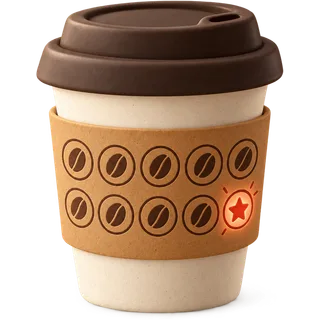
    Her phone number adds points to every paid order. At the reward threshold the cashier sees it on screen. No paper card, no separate loyalty fee.

    Loyalty & rewards
  8. 8The usual

    Tomorrow she orders it from her phone

    Your menu — sizes, milks, shots, photos — is already your online store. Mina reorders her usual for pickup and it joins the same bar queue.

    Order-ahead store

Every menu, behind one counter

Spanish latte in Jumeirah, karak in Gulberg, misugaru in Koreatown, horchata latte in Houston. Whatever your bar pours becomes a product with sizes and modifier sets — and a page on your online store. Scroll past the counter and watch it come apart into the layers GetCafePOS runs: menu, stock, register, and the order in the customer’s hand.

Today’s menu (example)

  • Oat latteEverywhereSize · Milk · Shots · Syrup
  • Spanish latteDubai favouriteSize · Sweetness · Iced/Hot
  • Karak chaiUAE & PakistanSize · Sugar · Cardamom
  • Misugaru latteKorean cafesSize · Milk · Sweetness
  • Horchata latteHispanic cafesSize · Shots · Cinnamon
  • Iced AmericanoKorean & US cafesSize · Shots · Ice
  • Matcha latteAll marketsSize · Milk · Sweetness
  • CortadoSpecialty barsMilk · Shots

From sign-up to first sale before lunch

The software is hosted for you. You sign up, add the shop, add the menu — and the online store builds itself from it. These are honest times for a single cafe with about 40 menu items.

0 min start to finish

  1. Sign up and name your cafe

    3 min

    Create your account and your business: name, currency, tax rate and receipt details. No install, no hardware order, no sales call required.

  2. Add your location, registers and staff

    10 min

    Add the shop, the registers (any tablet or laptop) and your baristas with their own logins and permissions.

  3. Build the menu once

    ≈ 40 min

    Drinks with sizes, milk and shot modifier sets, photos and prices — by hand or from a spreadsheet. We import it free if you send us your current menu.

  4. Your online store is already live

    1 min

    The moment products exist, your order-ahead store exists: same menu, same modifiers, same prices. Share the link and start taking pickup orders.

Priced for your market, not converted

GetCafePOS is sold in the USA, the UAE and Pakistan. Each market has its own prices, its own tax display and its own way of reaching us.

Your register speaks your counter’s language

Run the register and print receipts in English, العربية, اردو, Español or 한국어 — and edit any word on it. How languages work · Español · 한국어 · العربية · اردو

What a good week at the counter sounds like

Sample reviews. These are illustrative examples written to show how cafes use GetCafePOS — not quotes from real customers. We will replace them with real, attributed reviews once customers share them (see the FTC endorsement guides).

Sample · Drink modifiers

The part that sold us was the milk set. Oat and almond used to be a shout across the bar; now it is a button with the price on it, and the ticket reads exactly how my baristas build the drink.

Espresso bar · Los Angeles (Koreatown)Korean + English menu

How does GetCafePOS compare to Square, Toast and Clover?

For a one-register US cafe, GetCafePOS costs $39 per month with loyalty and an online store included and no contract. The big vendors start lower or similar on software but charge for loyalty and online ordering separately, tie you to their own card processing, and often ask for 24–36 month terms.

Cafe POS comparison, US software prices, checked October 18, 2026
PlanSoftware / location / moLoyaltyOnline orderingContractCard processing
GetCafePOS (Single Shot)$39IncludedIncluded, no commissionNoneYour choice
Square for Restaurants (Plus)$60 + $40/extra devicepaid add-onfree tier availableMonthlySquare only
Toast (Point of Sale plan)$69+$25/mo+$75/moTypically 24–36 monthsToast only
Clover (Counter Service)$59.95Varies by resellerVaries by planOften 36 months via resellersClover / Fiserv

Competitor prices are published third-party figures checked October 18, 2026 and may have changed; sources on each comparison page. Read the full, fair comparisons: vs Square · vs Toast · vs Clover.

Cafe POS questions, answered over the counter

The questions owners ask us most before they switch. Every price here comes from the same price list as the pricing page.

Answered by the GetCafePOS team. Can’t find yours? Ask us.

What is the best POS system for a small cafe?

The best cafe POS is the one that takes a modified drink order fastest, prices every modifier, sends it to the bar, and does loyalty and online ordering without extra fees. GetCafePOS was built for exactly that, from $39 per location per month in the US with a 30-day free trial and no contract.


How much does GetCafePOS cost?

Single Shot, Double Shot and Roastery are $39 / $69 / $119 per location per month in the US. In the UAE they are AED 149 / AED 259 / AED 449 including 5% VAT, and in Pakistan Rs 3,999 / Rs 6,999 / Rs 11,999 plus applicable sales tax. Annual billing saves about 17%.

Do I need to buy special hardware?

No. GetCafePOS runs in the browser on an iPad, Android tablet, Windows touchscreen or laptop you already own. Add a receipt printer for bar tickets and a cash drawer if you take cash; our hardware guide lists what works.

Does it include loyalty and online ordering?

Yes, in every plan. Reward points and the auto-generated online store with order-ahead are included in Single Shot, Double Shot and Roastery — not sold as add-ons.

Do you process my card payments?

No. You keep or choose your own payment processor and GetCafePOS records the payment. We add no markup to card transactions, so your processing rate is whatever you negotiate.

Is there a contract or setup fee?

No contract and no setup fee for the POS. Pay monthly and cancel any time, or pay annually for the discount. The optional managed website has a one-time setup fee, which the Full Pour bundle waives.

Which languages does it work in?

The register and receipts can run in English, Arabic, Urdu, Spanish, Korean and many more, and you can edit any wording. This website is available in English, Spanish, Korean, Arabic and Urdu.

How long does setup take?

Most single-location cafes are ready to sell the same day: about an hour including a 40-item menu. With a CSV import, the menu takes minutes. Our team imports your menu free if you send it to us.

Pour your first order this afternoon

Sign up, add your menu with its sizes and milks, and your register and online store are ready the same day. No card, no contract.

30-day free trial · no card · no contract

Book a demo Start free trial