getcafepos
Log in Start free trial

Layer: The name

Barista tickets and bar screens that send every order to the right hands

A barista ticket is the printed or on-screen order a barista makes a drink from. GetCafePOS routes each paid order by category: drinks print on the bar printer or show on the bar display, food goes to the kitchen, and each ticket carries the customer’s name, size, modifiers and notes in build order.

30-day free trialIncluded from Single Shot ($39/mo)

Drinks and food go to different places

Online orders join the same queue

Names and notes on every ticket

Timers show what is waiting longest

How bar & kitchen tickets works in your shop

Set it up once in the back office; after that it runs at the speed of the counter.

  1. Connect a printer or screen

    10 min

    Add a network receipt printer at the bar, or open the bar display on a tablet.

  2. Route categories

    5 min

    Send Espresso, Tea and Brewed to the bar; Bakery and Sandwiches to the kitchen.

  3. Order is paid

    instant

    The ticket prints or appears with name, size, modifiers and notes.

  4. Mark it done

    1 tap

    On the bar screen the barista taps to mark a drink made; the cashier sees it is ready.

What you set up for bar & kitchen tickets

Bar printer
Any supported network or USB thermal receipt printer.
Bar & kitchen display
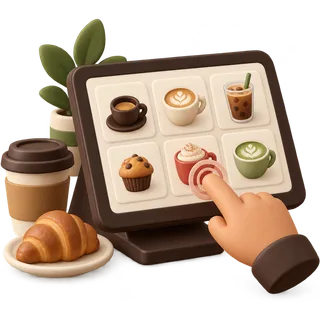
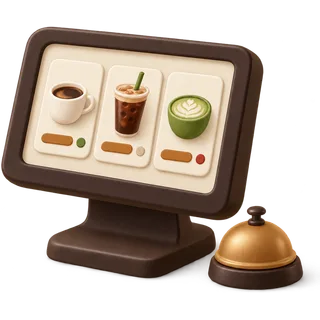
A screen of open orders with timers (Double Shot and up).
Routing
Per-category destination: bar, kitchen, or both.
Names on orders
Customer name or order number on every ticket.
Build order
Modifiers printed in the order your baristas make the drink.
Service staff
Assign orders to a barista or runner when you have more than one.

On the bar: two baristas, one queue

At peak, orders from the counter and the online store land on one bar screen in the order they were paid. Barista one takes the espresso drinks, barista two the cold bar; each taps "done" and the order moves to the pickup list. The kitchen screen only sees the toasties.

An illustrative example of how the feature is used, not a customer story.

Which plans include bar & kitchen tickets?

Bar & kitchen tickets: questions from the counter

Answered by the GetCafePOS team. Can’t find yours? Ask us.

What is the difference between a bar ticket and a bar screen?

A bar ticket is printed on a thermal printer; a bar screen (kitchen display) shows open orders on a tablet or monitor with timers. Single Shot supports printed tickets; Double Shot and Roastery add bar and kitchen screens.


Can drinks and food go to different places?

Yes. You route by category, so espresso drinks go to the bar printer or screen and food goes to the kitchen.

Does the ticket show oat milk and extra shots?

Yes. Size, every modifier and any note print on the ticket, in the order you set so it reads like the drink build.

Can I print the customer’s name on the ticket?

Yes. Enter a name at the register; online orders carry the name the customer gave.

Which printers work?

Common 80 mm thermal receipt printers that connect over the network or USB. Our hardware guide lists the categories that work and how to check yours.

Do online orders print automatically?

Yes. A paid online pickup order is routed just like a counter order.

Can I see how long a drink has been waiting?

On the bar screen each order shows how long it has been open, so the oldest is obvious at a glance.

Can I reprint a ticket?

Yes. Reprint from the order list if a ticket jams or gets wet.

Try bar & kitchen tickets on tomorrow’s rush

Start a 30-day trial, add five drinks and run a few test orders before you open. No card and no contract.

30-day free trial · no card · no contract

Book a demo Start free trial