
getcafepos
Log in Start free trial

Set up your cafe POS between two rushes

0 minsign-up to first online order

Setting up GetCafePOS takes four stages and about 54 minutes for a single cafe with a 40-item menu: create the business, add the shop and registers, build the menu with its modifiers, and switch on the store that was generated from it. Nothing to install, no technician, no card to start.

The four stages

  1. 1. Sign up and create the business

    3 min

    Choose your country and the account sets the currency, number format and default tax display (sales tax added in the US, VAT-inclusive in the UAE, sales tax in Pakistan). Add your logo and the receipt footer text.

    You’ll need

    • Email address
    • Cafe name and country
    • Your currency and tax rate

    From the onboarding team

    Pick the language your counter staff read best; you can switch it per user later.

  2. 2. Add your location, registers and staff

    10 min

    Add the shop as a business location, create a register for each device, and give each barista a login with a role (barista, shift lead, manager). Connect the bar printer and, on Double Shot, open the bar screen on a spare tablet.

    You’ll need

    • Shop address
    • Tablets or laptops you will use
    • Staff names

    From the onboarding team

    Give baristas a role without refunds or discounts until they have a week behind them.

  3. 3. Add your menu with sizes and modifiers

    40 min

    Create modifier sets first (Milk, Shots, Syrup, Sweetness), then drinks with sizes as variations, and attach the sets. Food items get their own category routed to the kitchen. Or send us your menu and we import it free.

    You’ll need

    • Your current menu and prices
    • Photos (optional)
    • Your milk, shot and syrup options

    From the onboarding team

    About 40 minutes for a 40-item menu by hand; minutes with a CSV import.

  4. 4. Your online store goes live

    1 min

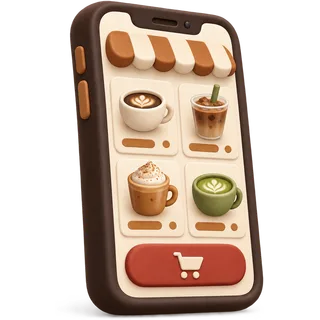
    Products already exist, so your store already exists. Set store hours and pickup times, connect online payment through your processor, and share the link on Google, Instagram and a QR code at the counter.

    You’ll need

    • Store hours
    • Payment processor for online orders

    From the onboarding team

    Put the QR code where people wait for drinks — that is where the next order-ahead customer is standing.

Your first day on GetCafePOS

Before opening

Ring three practice orders, print a bar ticket, place an online order from your phone, then void them. Count the float into the register.

During the rush

Favourites on the first screen, modifiers as buttons, orders to the bar. Note anything that slowed you down.

At close

Close the register, count cash, read the day’s report (sales, tips, best sellers) and move any slow tiles off the first screen.

Setup questions

Answered by the GetCafePOS team. Can’t find yours? Ask us.

How do I set up a POS system for a coffee shop?

Sign up, add your location and registers, build the menu with sizes and modifier sets, connect a printer, and switch on your store. With GetCafePOS a single cafe takes about 54 minutes including a 40-item menu.


Do I need a technician to install anything?

No. The software is hosted for you and runs in the browser. Printers and cash drawers plug in or join your Wi-Fi like any home printer.

Can you import my menu from Square or Toast?

Yes. Export your items to a spreadsheet and send it to us, or use the CSV import yourself. Modifier sets are usually rebuilt by hand because each vendor exports them differently — it takes minutes.

Can I test before I open?

Yes. During the 30-day trial, run practice orders, print tickets and place an online order on your own phone, then void them.

How do I train my baristas?

Most learn the order screen in one shift. We share a one-page guide for the counter, and our team can join your first rush on a video call.

What do I need to buy?

Usually only a receipt printer for bar tickets and a cash drawer if you take cash. Any tablet or laptop works as a register. See the hardware guide.

What if I get stuck?

Use the help center or message the support desk in English, Arabic, Urdu, Spanish or Korean during desk hours.

When does billing start?

After the 30-day trial, and only if you choose a plan. No card is needed to start.

Start the clock: 54 minutes

Sign up, add your menu with its sizes and milks, and your register and online store are ready the same day.

30-day free trial · no card · no contract

Book a demo Start free trial