
getcafepos
Log in Start free trial

A coffee shop online store that builds itself

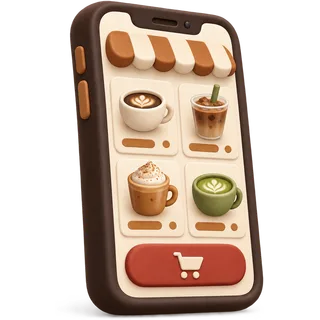
Add a drink to GetCafePOS and it is already on your order-ahead store — photo, sizes, milk options, upcharges and stock. Customers order for pickup, the order lands in your bar queue, and no marketplace takes a cut. It is included in every plan, from $39 a month.

What’s on your store

  1. A

    Menu pages

    Every product with photo, description, sizes and price, grouped by your POS categories.

  2. B

    Modifiers online

    Milk, shots, syrups and notes with the same upcharges as the counter.

  3. C

    Pickup checkout

    Name, pickup time, payment through your processor. The order goes to the bar.

  4. D

    Sold-out sync

    Mark oat milk or croissants sold out once — register and store both update.

  5. E

    Store hours

    Orders only when you are open; pause it during a rush.

  6. F

    Loyalty points

    Signed-in customers earn and redeem the same points as at the counter.

From menu to first online order

Most cafes are taking online orders on day one.

  1. Add products in the POS

    40 min

    Name, photo, sizes, modifier sets, price. That is the store content.

  2. Turn on the store

    10 min

    Set store hours, pickup times and which items are online. Connect your processor for online payment.

  3. Share the link

    5 min

    Google Business Profile, Instagram bio, a QR code by the register, and your receipts.

  4. Make the drink

    Every order

    Paid orders appear on the bar printer or screen with the customer’s name and pickup time.

Auto store or managed website?

The auto store is for ordering. The managed website is your whole cafe online — designed, written and kept up to date by our studio, with the store built in. You can start with the store and upgrade later.

Auto store (included)Managed website
Built from your POS menuYes, automaticallyYes, plus custom pages
Order-ahead pickupYesYes, linked prominently
DesignClean store theme with your logo and coloursCustom design for your cafe
Pages beyond the menuStore pages onlyHome, story, location, events, catering, blog
Local SEO (Google Business, schema)BasicSet up and maintained
Monthly updates by us—4 change requests a month
PriceIncluded in every planSee managed website
Monthly priceIncluded$59 + $299 setup, or in the Full Pour bundle

Need only a website and no POS at all? Our sister studio GetCafeWebsite builds cafe websites on their own.

Online store questions

Answered by the GetCafePOS team. Can’t find yours? Ask us.

What is an auto-generated online store?

It is an online ordering site built automatically from the products in your POS. When you add a drink with sizes, modifiers and a photo, it appears on your store with the same prices. You never maintain two menus.


Is the online store really included in Single Shot?

Yes. Every plan includes it. There is no per-order commission from us; your payment processor’s card fees apply as they do in the shop.

Can I use my own domain name?

Yes. Use the free address we provide or point a domain you own at the store. The managed website option can also wrap the store in a full custom site.

Do I need a separate website if I have the store?

Not to take orders. Many cafes use only the store. A managed website adds the pages the store does not have — your story, location, events, catering, local SEO — and is designed for you.

How do customers pay online?

Through the payment processor you connect for online payments. GetCafePOS records the payment on the order; it does not process cards itself.

Can I take orders for a later pickup time?

Yes. Customers choose a pickup time within your store hours, and the order shows on the bar screen with that time.

Will my store show in Google?

Store pages are indexable and include your cafe’s name and location. For Google Business Profile setup and local SEO work, the managed website or Full Pour bundle includes it.

Can I hide items that I only sell in the shop?

Yes. Each product has an online on/off switch, and categories can be hidden too.

Your menu is already a store

Start the 30-day trial, add three drinks and open your store link on your phone. That is the whole demo.

30-day free trial · no card · no contract

Book a demo Start free trial