Can I run two cafes from one account?
Yes. Each location has its own registers, staff and stock under one business. Plans are priced per location.
 getcafepos
  Layer: The second shop
A multi-location coffee shop POS runs several cafes from one account: each shop has its own registers, staff, stock and prices, and the owner sees combined and per-shop reports. GetCafePOS Roastery adds location-specific menus and prices and stock transfers between shops; every plan has daily sales and best-seller reports.
30-day free trialIncluded from Roastery ($119/mo)
Per-location menus and prices
Combined and per-shop reports
Stock transfers between shops
Different currencies per country
Set it up once in the back office; after that it runs at the speed of the counter.
Name, address, tax settings and currency for the new shop.
Sell the full menu or a subset; adjust prices for the location.
Staff can be limited to one location or allowed in several.
Combined and per-location sales, best sellers, hours, tips and stock.
On Sunday night the owner opens one report: the downtown shop sells more cold brew after 2 pm, the campus shop sells more pastries at 8. Next week cold brew batches move to the afternoon and the campus pastry order goes up — decided from data, not memory.
An illustrative example of how the feature is used, not a customer story.
 Inventory & recipesTrack milk, beans, cups and pastries; build recipes so each latte deducts what it uses; reorder before you run out.
 TipsTip prompts on the customer screen, tips recorded per sale and per staff member, and clean end-of-day totals.
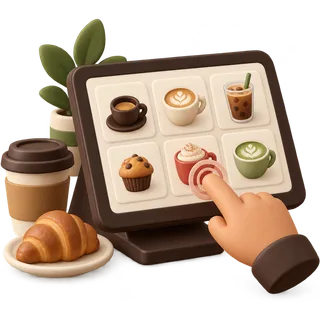 Fast tap orderingA big-button order screen built for the morning line: two taps for a regular drink, three for a custom one.
 Answered by the GetCafePOS team. Can’t find yours? Ask us.
Yes. Each location has its own registers, staff and stock under one business. Plans are priced per location.
Yes, on Roastery. Use price groups to charge more at an airport or campus location without duplicating your menu.
Daily and period sales, sales by hour, best sellers, modifiers, tips, staff, register closings, tax and stock — per location and combined.
Yes. Roastery records stock transfers, so the beans sent from the main shop to the kiosk are deducted and added correctly.
Yes. Locations can use their own currency and tax rates, and reports convert nothing behind your back — each shop reports in its own currency.
Yes. Roles and location permissions limit what each manager or barista can see and do.
Yes. Reports export to spreadsheet and PDF, and Roastery includes the accounting module.
No. Any plan can run several locations at its per-location price. Roastery adds the multi-shop tools: location menus, price groups and transfers.
Start a 30-day trial, add five drinks and run a few test orders before you open. No card and no contract.
30-day free trial · no card · no contract
/ or Ctrl K · ↑ ↓ · Enter

Nothing matched
Try one of these instead

We use strictly necessary storage to remember your settings. Analytics and marketing tags stay off until you allow them. Cookie policy.